







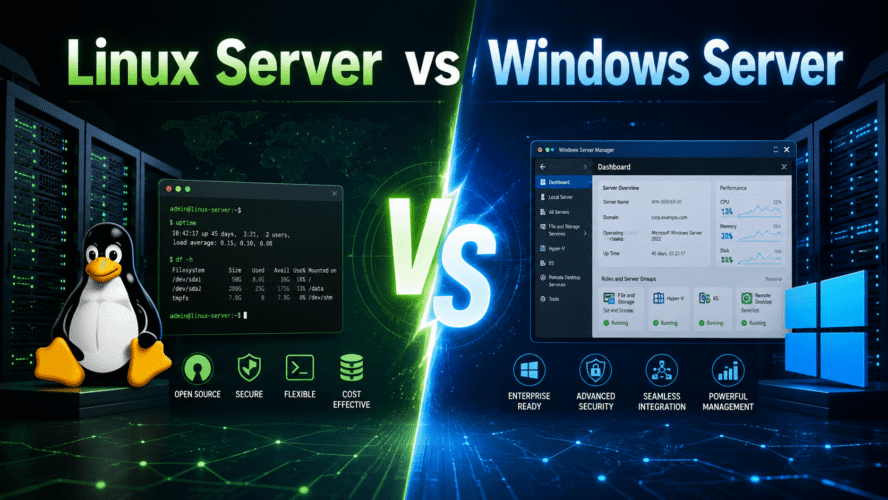
Linux Server vs Windows Server
Imagine you are starting a small company.
You need a few servers.
One will host your website.
One will run a database.
One will manage company users.
One may run internal business software.
You now reach a very common question:
Should we use Linux Server or Windows Server?
At first, the answer seems like a simple operating-system choice.
It is not.
Choosing between Linux Server and Windows Server affects:
- Cost
- Administration style
- Application compatibility
- Security
- Automation
- Licensing
- Cloud deployment
- Database choices
- Identity management
- Long-term maintenance
Both are excellent server platforms.
They are simply strongest in different areas.
The Simplest Difference
Linux Server is usually built around:
Open-source tools
Command-line administration
Automation
Cloud workloads
Web hosting
Containers
Windows Server is usually strongest around:
Microsoft ecosystem
Active Directory
.NET enterprise applications
Windows authentication
GUI-based administration
Microsoft infrastructure
That is the broad picture.
What Is Linux Server?
Linux is not one single server operating system.
It is a family of operating systems built around the Linux kernel.
Common server distributions include:
Debian
Ubuntu Server
Rocky Linux
AlmaLinux
Red Hat Enterprise Linux
SUSE Linux Enterprise
A Linux server may run without any graphical desktop at all.
You typically manage it through:
ssh user@serverand then use commands such as:
systemctl
journalctl
apt
dnf
ip
ss
top
For many Linux administrators, the terminal is the main interface.
What Is Windows Server?
Windows Server is Microsoft's server operating system family.
It is closely related to Windows desktop, but designed for server workloads.
Windows Server commonly provides technologies such as:
Active Directory
Group Policy
DNS Server
DHCP Server
Hyper-V
IIS
File Services
Remote Desktop Services
PowerShell
Administrators can manage it through graphical interfaces, PowerShell, remote tools, and centralized Microsoft management systems.
A Small Company Example
Imagine your company needs:
Website
ERP
Database
User accounts
File server
VPN
A Linux-heavy architecture might look like:
Debian Server
├── Nginx
├── ASP.NET Core API
├── PostgreSQL
├── Redis
└── Docker
A Windows-heavy architecture might look like:
Windows Server
├── Active Directory
├── IIS
├── SQL Server
├── File Server
└── Group Policy
Both are valid.
The correct choice depends on the workloads.
Linux Dominates Web and Cloud Infrastructure
If you look at modern cloud infrastructure, Linux is everywhere.
Typical Linux workloads include:
- Web servers
- API servers
- Kubernetes nodes
- Docker hosts
- Databases
- Reverse proxies
- CI/CD runners
- Monitoring systems
- Network appliances
- Cloud-native applications
Why?
Because Linux is:
Lightweight
Automatable
Flexible
Scriptable
Widely supported
It is particularly well suited to environments where thousands of servers must be managed automatically.
Windows Server Dominates Microsoft-Centric Enterprise Environments
Windows Server remains extremely important in organizations built around Microsoft technologies.
A traditional enterprise might use:
Active Directory
Microsoft 365
Windows desktops
Group Policy
SQL Server
.NET Framework applications
Windows file servers
In that environment, Windows Server feels natural.
The operating system was designed to work closely with the rest of the Microsoft ecosystem.
Active Directory Is One of Windows Server's Biggest Strengths
Suppose your company has:
500 employeesand each employee has a Windows computer.
You want centralized control over:
- User accounts
- Password policies
- Computer policies
- Software restrictions
- File permissions
- Login rules
- Security policies
Windows Server can provide this through:
Active Directory
+
Group Policy
The structure might look like:
Windows Server
     ↓
Active Directory
     ↓
Users
Computers
Groups
Policies
This remains one of Microsoft's strongest enterprise advantages.
Linux Can Do Identity Too
Linux absolutely supports centralized identity.
Technologies include:
LDAP
FreeIPA
Kerberos
Samba AD
SSSD
But in a company where nearly every workstation already runs Windows, Active Directory often provides the most straightforward experience.
Linux frequently integrates into Active Directory rather than replacing it.
Linux Usually Has Lower Licensing Cost
One of Linux's biggest attractions is cost.
Many Linux distributions can be installed without purchasing an operating-system license.
For example:
Debian
Ubuntu
Rocky Linux
AlmaLinux
can be used freely.
Commercial support may still cost money.
For example, companies may purchase support from:
Red Hat
Canonical
SUSE
But the software itself is often available without per-server licensing fees.
Windows Server Licensing Is Different
Windows Server is commercial software.
Depending on the edition, environment, virtualization rights, and user/device access requirements, licensing can become an important part of infrastructure cost.
In a small environment, this may not be a huge issue.
At large scale:
100 serversor:
1,000 serverslicensing can become a major design consideration.
This is one reason Linux became especially attractive to cloud providers and hosting companies.
Linux Is Usually Lighter
A minimal Linux server can run with very little overhead.
You can install:
Debian minimalwithout a graphical interface.
Then the server spends most of its resources on the actual workload.
For example:
RAM
CPU
Disk
are primarily available to:
Application
Database
Containers
rather than a desktop environment.
Windows Server Can Be Lightweight Too
Windows Server does not always require the full desktop experience.
Microsoft provides more minimal deployment modes such as Server Core.
Conceptually:
Windows Server
without full desktop shell
This reduces:
- Resource usage
- Attack surface
- Update footprint
But Linux minimal installations are still especially common in infrastructure environments.
The Administration Style Feels Very Different
Linux administration often begins with:
ssh serverThen:
sudo systemctl status nginx
sudo journalctl -u nginx
sudo apt update
sudo apt upgrade
You think in terms of:
Files
Commands
Services
Processes
Pipes
Scripts
Windows Server traditionally feels more graphical.
You might open:
Server Manager
Active Directory Users and Computers
DNS Manager
Group Policy Management
Event Viewer
and configure the server using GUI tools.
But Modern Windows Administration Is Also Command-Line Driven
PowerShell changed Windows administration significantly.
Instead of clicking through menus, administrators can automate:
Get-Service
Get-Process
Get-WindowsFeature
Restart-Service
At scale, Windows administration increasingly looks like:
PowerShell
Automation
Configuration management
APIs
rather than purely GUI administration.
So the old stereotype:
Linux = CLI
Windows = GUI
is becoming less accurate.
Still, Linux remains more terminal-centric by culture.
Software Installation Is Different
On Linux, software usually comes from package repositories.
For Debian:
sudo apt update
sudo apt install nginx
For Red Hat-like systems:
sudo dnf install nginxThe package manager handles:
Download
Dependencies
Installation
Updates
Removal
This makes automated server setup very convenient.
Windows Has Improved Package Management Too
Windows traditionally relied heavily on:
MSI installers
EXE installers
Windows Update
Modern Windows environments also use package-management and automation tools.
But Linux package repositories remain deeply integrated into traditional server administration.
Web Servers: Linux Has a Very Strong Position
Linux commonly runs:
Nginx
Apache
Caddy
HAProxy
Traefik
For modern web applications, a common architecture is:
Internet
   ↓
Nginx
   ↓
Application
   ↓
Database
This combination is extremely common.
Linux also works very naturally with:
PHP
Python
Node.js
Java
Go
Rust
ASP.NET Core
Windows Server Has IIS
Windows Server's traditional web server is:
IISor Internet Information Services.
IIS integrates closely with:
- Windows authentication
- Active Directory
- ASP.NET
- Certificate management
- Windows administration
Historically, many enterprise ASP.NET Framework applications depended heavily on IIS and Windows.
.NET Changed the Picture
Years ago, .NET applications were strongly associated with Windows Server.
Modern .NET is cross-platform.
An ASP.NET Core application can run very comfortably on Linux.
For example:
Debian
   ↓
Nginx
   ↓
ASP.NET Core
or:
Linux
   ↓
Docker
   ↓
ASP.NET Core Container
So choosing .NET no longer automatically means choosing Windows Server.
This was a major shift in server architecture.
Databases
Both platforms can run excellent databases.
Linux commonly hosts:
PostgreSQL
MySQL
MariaDB
MongoDB
Redis
Elasticsearch
Windows Server commonly hosts:
Microsoft SQL Serveralthough SQL Server also supports Linux.
So even database platform boundaries have become less rigid.
SQL Server Still Fits Naturally With Windows Environments
If your organization relies heavily on:
Active Directory
Windows authentication
SQL Server
Microsoft BI tools
Windows Server may provide a very integrated environment.
On the other hand, many modern applications prefer:
Linux + PostgreSQLbecause it is simple, powerful, and has no traditional per-server OS licensing cost.
Containers Heavily Favor Linux
Containers are built deeply around Linux technologies.
The modern container ecosystem grew from Linux features such as:
Namespaces
cgroups
Capabilities
Overlay filesystems
Docker, containerd, Kubernetes, and similar systems therefore feel extremely natural on Linux.
A common architecture looks like:
Linux
 ↓
containerd
 ↓
Kubernetes
 ↓
Containers
That is one of the reasons Linux became the default operating system for cloud-native infrastructure.
Windows Containers Exist Too
Windows Server also supports Windows containers.
They are useful when an application depends on:
Windows APIs
.NET Framework
Windows services
Legacy Microsoft components
But the broader container ecosystem is much more Linux-centered.
Kubernetes Is Mostly a Linux World
Kubernetes can support Windows worker nodes for certain workloads.
But the control-plane and the majority of cloud-native workloads are typically Linux-based.
When someone says:
Kubernetes serveryou can usually assume Linux is involved somewhere.
Security: Which One Is More Secure?
This question often starts arguments.
You may hear:
Linux is more secure.
Or:
Windows Server has better enterprise security.
Neither statement is universally correct.
Security depends on:
Configuration
Updates
Access control
Applications
Network design
Monitoring
Administrator skill
A badly configured Linux server can be insecure.
A badly configured Windows server can be insecure.
Linux Has a Strong Minimalism Advantage
Linux servers are often installed with very little software.
For example:
SSH
Application
Firewall
and nothing else.
Fewer installed components can mean:
Smaller attack surfaceLinux also provides mature security technologies such as:
SELinux
AppArmor
seccomp
Linux capabilities
nftables
Windows Has Strong Enterprise Security Integration
Windows Server offers technologies such as:
Active Directory security
Group Policy
Defender
BitLocker
Credential protection
Centralized auditing
In Microsoft-heavy organizations, centralized security management can be extremely powerful.
The operating system itself is only one part of the security story.
Updates
Linux update processes are usually package-manager based.
For Debian:
sudo apt update
sudo apt upgrade
Services may need restarting after certain updates.
Kernel updates may require rebooting.
Windows Updates
Windows Server commonly uses:
Windows Update
WSUS
Microsoft management tools
Windows historically had a reputation for requiring more frequent or disruptive reboots.
Modern Windows Server has improved considerably, but reboot planning remains a familiar part of Windows administration.
Linux servers also require reboots in certain situations, particularly after kernel or low-level system updates.
Stability
Linux has an excellent reputation for long-running server workloads.
A Linux machine can often run:
Monthswithout rebooting if updates and infrastructure policies allow it.
That reputation helped Linux become popular for internet servers.
Windows Server can also run highly stable workloads.
Modern enterprise Windows environments routinely operate critical services continuously.
The difference is much smaller than old internet arguments suggest.
File Servers
Windows Server is particularly strong as a file server in a Windows desktop environment.
For example:
Windows PCs
     ↓
Active Directory
     ↓
Windows File Server
Permissions can be integrated with company user accounts.
This makes:
Department shares
Home folders
Company documents
easy to manage centrally.
Linux Can Also Be a File Server
Linux can provide Windows-compatible file sharing through:
SambaFor example:
Linux Server
   ↓
Samba
   ↓
Windows Clients
This can work very well.
But pure Windows environments often find Windows Server easier for identity and permissions integration.
Remote Management
Linux's remote-management story is beautifully simple:
ssh serverSSH is lightweight, secure, scriptable, and available almost everywhere.
A Linux administrator might manage a server from:
Windows
macOS
Linux
Phone
Automation server
using the same basic protocol.
Windows Remote Management
Windows Server can be managed through:
- Remote Desktop
- PowerShell Remoting
- Windows Admin Center
- MMC tools
- Server Manager
Remote Desktop provides something Linux SSH intentionally does not:
A full graphical desktopFor administrators who prefer GUI tools, this can be very convenient.
Automation
Linux is famously automation-friendly.
You can write:
#!/bin/bash

apt update
apt install nginx -y
systemctl enable --now nginx
Infrastructure tools also work extremely well with Linux:
Ansible
Terraform
Puppet
Chef
Salt
This is one reason Linux dominates large cloud environments.
Windows Automation Is Powerful Too
PowerShell provides extremely strong automation capabilities.
Example:
Install-WindowsFeature Web-Server
Start-Service W3SVC
Windows can also work with infrastructure automation platforms.
In modern enterprise environments, both Linux and Windows can be highly automated.
Linux Configuration Is Often Just Text Files
Many Linux services are configured using files such as:
/etc/nginx/nginx.conf
/etc/ssh/sshd_config
/etc/fstab
/etc/systemd/system/
This has an important benefit.
Text files work extremely well with:
Git
Diff
Automation
Templates
Version control
You can easily compare:
git diffand see exactly what changed.
Windows Configuration Can Be More Centralized
Windows configuration may live across:
Registry
Group Policy
Configuration files
Management databases
PowerShell settings
This can feel less Unix-like, but in large Windows organizations, centralized tools provide powerful control.
Linux Is Extremely Flexible
Linux can become almost anything.
For example:
Web server
Database server
Router
Firewall
Hypervisor
Container host
Storage server
Kubernetes node
Embedded system
The same Linux kernel family appears in everything from smartphones to supercomputers.
That flexibility is one of Linux's defining strengths.
Windows Server Is More Opinionated
Windows Server generally gives you an integrated Microsoft platform.
That can be a huge advantage.
Instead of assembling:
LDAP
Kerberos
DNS
Policy system
File sharing
Management tools
your organization can use tightly integrated Microsoft services.
The downside is greater dependence on the Microsoft ecosystem.
Linux Encourages Mixing Technologies
A Linux server might run:
Nginx
PostgreSQL
Redis
.NET
Python
Docker
all from different open-source projects.
This allows enormous flexibility.
But it can also mean:
More architectural decisionsbecause you must choose which tools to combine.
Windows Offers a More Unified Vendor Experience
Microsoft can provide:
Operating system
Database
Identity
Cloud
Development tools
Office platform
Security tools
from one ecosystem.
For many enterprises, that reduces integration complexity.
For others, it creates vendor lock-in.
Again, it depends on the organization.
Hardware Support
Windows Server generally works well with mainstream enterprise hardware certified by vendors.
Linux also has excellent server hardware support.
Major vendors such as:
Dell
HPE
Lenovo
Supermicro
provide Linux-compatible systems.
For obscure hardware, driver support can vary on either platform.
The Command-Line Difference
A Linux administrator might troubleshoot a web server with:
systemctl status nginx
journalctl -u nginx
ss -tulpn
curl localhost
A Windows administrator might use:
Get-Service
Get-Process
Get-NetTCPConnection
Invoke-WebRequest
Different languages.
Same goal.
Monitoring
Linux administrators commonly use:
top
htop
vmstat
iostat
journalctl
Prometheus
Grafana
Windows administrators commonly use:
Task Manager
Performance Monitor
Event Viewer
Windows Admin Center
System Center
Both ecosystems have mature monitoring options.
Cloud Computing
Linux is usually the default choice for generic cloud workloads.
If you create:
Web API VM
Kubernetes node
Docker host
Database server
Linux is often the obvious starting point.
The absence of traditional Windows licensing costs can also reduce cloud VM pricing in many scenarios.
But Azure Is Not "Windows Only"
Microsoft Azure heavily supports Linux.
Modern Azure infrastructure runs enormous numbers of Linux workloads.
This reflects the broader industry reality:
Cloud
≠
Windows
and:
Microsoft
≠
Windows-only
Modern cloud platforms are multi-OS environments.
Developer Experience
If your developers mainly use:
Python
Node.js
Go
Rust
PHP
Docker
Kubernetes
Linux often feels like the natural production environment.
If the company depends on:
.NET Framework
Windows Forms
WPF
Active Directory
Windows Authentication
COM
Legacy Windows services
Windows Server may be necessary.
Modern .NET Developers Often Use Linux Servers
This surprises people familiar with older .NET.
A modern architecture can look like:
Next.js
   ↓
ASP.NET Core
   ↓
PostgreSQL
all running on:
Linux containersNo Windows Server is required.
Cross-platform .NET significantly changed the old Microsoft server equation.
Legacy Applications Often Decide the Choice
Sometimes there is no debate.
You may have an old application that requires:
.NET Framework
IIS
Windows service
COM component
SQL Server integrated authentication
Then:
Windows Servermay simply be the correct answer.
Likewise, an application built around:
Bash
systemd
Linux kernel APIs
Docker
belongs naturally on Linux.
Application requirements matter more than ideology.
Gaming Servers
Many dedicated game servers support both platforms.
Linux is commonly chosen because:
No desktop overhead
Easy remote management
Lower licensing cost
Automation
But specific games sometimes only support Windows.
Again, workload compatibility wins.
Virtualization
Windows Server includes:
Hyper-Vwhich is a strong enterprise virtualization platform.
Linux powers virtualization platforms through technologies such as:
KVM
QEMU
libvirt
and products such as:
Proxmox VEBoth ecosystems are highly capable.
A Linux Virtualization Host
Conceptually:
Physical Server
      ↓
Linux + KVM
      ↓
Windows VM
Linux VM
BSD VM
A Windows Virtualization Host
Conceptually:
Physical Server
      ↓
Hyper-V
      ↓
Windows VM
Linux VM
Both can run mixed guest operating systems.
Backups
Both Linux and Windows have mature backup ecosystems.
Linux often uses combinations of:
rsync
restic
Borg
ZFS snapshots
Filesystem snapshots
Enterprise backup tools
Windows environments may use:
VSS
Windows Server Backup
System Center
Veeam
Enterprise backup products
Backup strategy matters more than operating-system brand.
A Common Modern Company Architecture
A company does not necessarily choose only one.
A very realistic infrastructure might be:
Windows Server
├── Active Directory
├── DNS
└── File Services

Linux Servers
├── Web Applications
├── APIs
├── PostgreSQL
├── Docker
└── Kubernetes
This is extremely common.
Use each platform where it is strongest.
You Do Not Have to Pick a Team
Technology discussions sometimes become:
Linux people
vs
Windows people
Real infrastructure usually does not care about tribal loyalty.
The useful question is:
Which platform runs this workload most reliably, simply, and economically?
Sometimes the answer is Linux.
Sometimes Windows.
Sometimes both.
Linux Server Strengths
Linux is particularly strong when you need:
- Web hosting
- Containers
- Kubernetes
- Cloud-native workloads
- Open-source databases
- Automation
- Lightweight servers
- DevOps tooling
- Network appliances
- Cost-efficient scaling
A typical Linux workload:
Nginx
+
ASP.NET Core
+
PostgreSQL
+
Redis
+
Docker
Windows Server Strengths
Windows Server is particularly strong when you need:
- Active Directory
- Group Policy
- Windows authentication
- Traditional .NET Framework applications
- Windows file services
- Microsoft enterprise integration
- Remote Desktop Services
- Hyper-V
- Legacy Windows software
A typical Windows environment:
Active Directory
+
SQL Server
+
Windows Clients
+
Microsoft 365
Linux Server Weaknesses
Linux can be less convenient when:
- An application only supports Windows
- Administrators are unfamiliar with CLI tools
- Deep Active Directory integration is central
- Vendor software requires Microsoft components
- Legacy Windows applications must be supported
Linux gives flexibility.
But that flexibility can require more knowledge.
Windows Server Weaknesses
Windows Server can be less attractive when:
- Licensing costs matter heavily
- You need thousands of lightweight cloud nodes
- Your workloads are container-heavy
- You want minimal operating systems
- Your tooling is primarily Unix/Linux based
- Open-source infrastructure is preferred
Windows also tends to encourage stronger dependence on Microsoft's ecosystem.
Quick Comparison
| Area | Linux Server | Windows Server |
|---|---|---|
| Licensing | Usually free/open-source | Commercial |
| Typical administration | CLI + automation | GUI + PowerShell |
| Web hosting | Excellent | Excellent |
| Containers | Excellent | Supported |
| Kubernetes | Dominant platform | Windows workers supported |
| Active Directory | Can integrate | Native |
| Group Policy | No direct equivalent | Excellent |
| .NET | Excellent with modern .NET | Excellent |
| .NET Framework | No | Native |
| SQL Server | Supported | Native ecosystem |
| PostgreSQL/MySQL | Excellent | Supported |
| Resource usage | Usually lower | Usually higher |
| Automation | Excellent | Excellent with PowerShell |
| Cloud-native use | Extremely common | More specialized |
| File server for Windows domain | Good via Samba | Excellent |
| Desktop-style remote admin | Optional | Strong |
| Open-source ecosystem | Huge | Smaller but supported |
| Vendor ecosystem | Broad | Strong Microsoft integration |
Which One Should a Beginner Learn?
If you want to learn:
Cloud
DevOps
Docker
Kubernetes
Web hosting
Networking
Security
learning Linux Server is extremely valuable.
Even if you primarily use Windows on your desktop.
A basic Linux skill set such as:
SSH
systemd
permissions
networking
package management
logs
Bash
will be useful across many infrastructure jobs.
When Should You Learn Windows Server?
If you work with:
Corporate IT
Active Directory
Microsoft 365
Windows desktops
Group Policy
Enterprise identity
Windows Server knowledge is extremely valuable.
In many companies, you will eventually need both.
A Small Business Decision
Suppose a 30-person software company needs:
ERP
Website
Database
File sharing
User accounts
One sensible design might be:
Linux
├── ERP/API
├── Website
├── PostgreSQL
└── Redis

Windows Server
├── Active Directory
└── File services
Instead of trying to force everything onto one platform.
A Startup Decision
A software startup building:
React
ASP.NET Core
PostgreSQL
Redis
Docker
Kubernetes
probably has little reason to introduce Windows Server purely for the application stack.
Linux is a natural fit.
A Traditional Office Decision
A company with:
200 Windows PCs
Domain logins
Shared folders
Group Policy
SQL Server
Legacy .NET applications
may benefit enormously from Windows Server.
Trying to replace everything with Linux simply to avoid Windows would create unnecessary complexity.
The Most Important Rule
Do not choose an operating system first and then force the application onto it.
Instead:
Understand workload
      ↓
Understand dependencies
      ↓
Understand team skills
      ↓
Understand cost
      ↓
Choose platform
That produces better infrastructure decisions.
Final Thoughts
Linux Server and Windows Server are both mature, powerful operating systems.
But they grew from different cultures.
Linux grew from:
Unix
Open source
Internet infrastructure
Automation
Developer tooling
Windows Server grew from:
Enterprise Windows
Corporate identity
Microsoft applications
Centralized management
That history still shapes their strengths today.
If you are building:
Cloud applications
Containers
Kubernetes
Web infrastructure
Open-source databases
Linux will often feel like home.
If you are building around:
Active Directory
Windows desktops
Group Policy
Microsoft enterprise applications
Windows Server will often be the better fit.
And in many real companies, the best architecture is simply:
Linux
+
Windows
Each doing the job it handles best.
So the real question is not:
Which operating system is better?
The better question is:
Which operating system is better for this workload?
That one question will usually lead you to the right answer.