






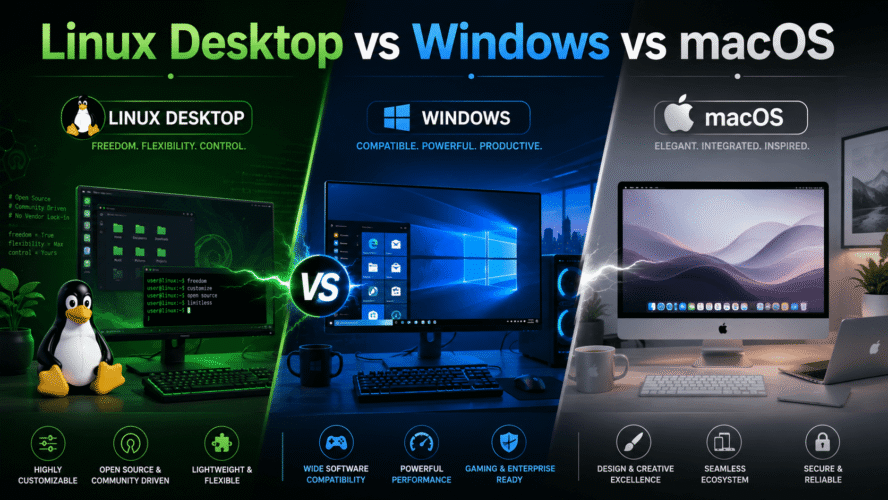
Linux Desktop vs Windows vs macOS
Imagine buying a new computer.
The hardware matters, of course. CPU, RAM, SSD, display, battery.
But the thing you interact with every day is the operating system.
For most desktop users, the choice comes down to three worlds:
Windows
Linux
macOS
All three can browse the web, edit documents, write code, watch movies, and handle everyday work.
But they feel very different.
Windows: The Safe Default
Windows is the most familiar choice for traditional PCs.
Buy a laptop from Dell, Lenovo, HP, ASUS, Acer, or dozens of other manufacturers and there is a good chance it comes with Windows.
Its biggest advantage is compatibility.
If somebody releases:
- Business software
- Accounting software
- A printer utility
- A gaming peripheral
- Engineering software
- A random USB device
Windows is usually the first platform they support.
That makes Windows the "it probably works" operating system.
For gaming, Windows is also generally the easiest choice because the PC gaming ecosystem is built heavily around it.
The downside?
Windows carries decades of compatibility with it.
That means it can sometimes feel like several generations of Windows living together:
Modern Settings
      +
Old Control Panel
      +
Legacy dialogs
      +
Background services
Still, if you want maximum software and hardware compatibility without thinking too much about the operating system, Windows remains difficult to beat.
macOS: The Integrated Experience
macOS takes a completely different approach.
Apple controls both:
Hardware
+
Operating system
You do not install macOS on thousands of random computer configurations.
It runs on Macs designed by Apple.
That gives Apple much tighter control over the experience.
The result is often:
Mac hardware
      ↕
Apple Silicon
      ↕
macOS
Battery management, sleep behavior, displays, trackpads, audio, and hardware acceleration can all be designed together.
This is especially noticeable on modern Apple Silicon Macs.
For normal everyday use, they can provide an excellent combination of:
- Performance
- Battery life
- Low noise
- Build quality
- Unix-based developer tools
macOS is therefore popular with developers, designers, photographers, musicians, and people already using iPhones and other Apple devices.
But there is a price.
Literally.
You must buy Apple hardware.
And Apple gives you much less freedom to upgrade or customize that hardware later.
Gaming is also much weaker than on Windows.
Linux: The Computer Becomes Yours
Linux has almost the opposite philosophy.
Instead of saying:
Here is how your computer should work.
Linux tends to say:
How would you like your computer to work?
You can choose distributions such as:
Ubuntu
Fedora
Linux Mint
Debian
Arch
Then choose desktop environments such as:
GNOME
KDE Plasma
Cinnamon
XFCE
You can make Linux look similar to Windows.
Or macOS.
Or neither.
That freedom is one of Linux's biggest strengths.
It is also one of its biggest weaknesses.
A Windows or Mac user can normally search for instructions and assume the system behaves roughly the same as everyone else's.
A Linux answer may begin with:
Which distribution are you using?
Linux rewards people who like understanding their computers.
Linux Has Changed a Lot
Years ago, desktop Linux had a reputation for requiring constant terminal work.
That reputation is increasingly outdated.
Modern distributions such as Ubuntu, Fedora, and Linux Mint can provide polished graphical desktops with:
- Wi-Fi
- Bluetooth
- App stores
- Automatic updates
- Multiple monitors
- Modern browsers
- Office software
- Gaming support
You can use Linux without living in a terminal.
But the terminal is always nearby when you want more control.
For developers and technical users, that can be a major advantage.
Software Compatibility Is the Big Difference
Suppose you need Microsoft Office.
Windows:
Native supportmacOS:
Native supportLinux:
Usually web version or alternativesNeed Adobe Photoshop?
Windows and macOS are the natural choices.
Linux users generally need alternatives or workarounds.
But change the question.
Need:
Docker
SSH
Git
Python
GCC
Servers
Kubernetes tools
Linux suddenly feels completely at home.
macOS is also excellent for much of this because underneath its graphical desktop is a Unix-based operating system.
Windows has improved enormously for developers, especially with tools such as WSL, but Linux remains the native environment for much of modern server software.
Gaming
If gaming is your priority, the simple answer is:
WindowsLinux gaming has improved dramatically thanks to technologies such as Proton and the popularity of Linux-based gaming devices.
Many Windows games now run surprisingly well.
But there are still games, especially some using particular anti-cheat systems, that can cause problems.
macOS has capable hardware, particularly Apple Silicon GPUs, but the game library remains much smaller.
So:
Gaming:

Windows  → easiest

Linux    → surprisingly capable

macOS    → improving, but limited library
Privacy and Control
Linux has a unique advantage here.
Most Linux distributions are open source.
You can inspect them, modify them, replace components, and decide which services run.
There is generally no requirement to connect the desktop deeply to one company's ecosystem.
Windows increasingly integrates Microsoft accounts and cloud services.
macOS integrates strongly with Apple's ecosystem.
Those integrations can be extremely convenient.
But they also mean the operating system is closely connected to the company behind it.
Linux gives you more independence.
The trade-off is that you are sometimes responsible for more decisions yourself.
Updates
Linux updates often look like:
Update applications
+
Update system
+
Continue working
Many changes require no restart.
Windows has improved significantly, but Windows Update still has a reputation for choosing inconvenient moments to remind you that the operating system would really like to reboot.
macOS sits somewhere in between.
Apple releases large operating-system updates alongside smaller security updates, and major updates can take some time.
All three are manageable.
Linux simply tends to give experienced users more direct control over the process.
Hardware Choice
Windows wins easily here.
You can buy:
$300 laptop
$1,000 workstation
$5,000 gaming PC
$20,000 professional workstation
and run Windows.
Linux can run on much of the same hardware, although checking Wi-Fi, fingerprint reader, GPU, and other device compatibility before buying is wise.
macOS gives you the smallest hardware selection because:
macOS = MacBut Apple's limited selection also contributes to its consistent experience.
So Which One Should You Use?
For someone who says:
I just want my applications, games, printer and accessories to work.
Choose:
WindowsFor someone who says:
I want excellent battery life, polished hardware, a Unix environment, and I already like the Apple ecosystem.
Choose:
macOSFor someone who says:
I want control over my computer, I like open source, and I am comfortable learning how things work.
Choose:
LinuxQuick Comparison
| Area | Windows | Linux | macOS |
|---|---|---|---|
| Ease for general users | Excellent | Good | Excellent |
| Hardware choice | Excellent | Excellent | Apple only |
| Software compatibility | Excellent | Mixed | Very good |
| Gaming | Excellent | Good | Limited |
| Development | Very good | Excellent | Excellent |
| Customization | Good | Excellent | Limited |
| Unix environment | Via WSL/tools | Native | Native |
| Microsoft ecosystem | Excellent | Limited | Good |
| Apple ecosystem | Limited | Limited | Excellent |
| Open source | Mostly no | Yes | Partly |
| User control | Good | Excellent | More restricted |
The Interesting Part Is That They Are Getting Closer
Twenty years ago, these operating systems felt like completely different worlds.
Today most people's daily work happens inside:
Browser
VS Code
Slack
Teams
Spotify
Web applications
Cloud services
Those applications exist across platforms.
So moving from Windows to Linux or macOS is easier than it once was.
The operating system still matters.
It just matters differently.
Final Thoughts
There is no universal winner.
Windows succeeds by being compatible with almost everything.
macOS succeeds by tightly integrating hardware and software.
Linux succeeds by giving control back to the user.
You could summarize them like this:
Windows:
"Run almost anything."

macOS:
"Everything works together."

Linux:
"Make it yours."
And that is probably a better way to choose than arguing about which operating system is objectively "best."
The best desktop operating system is the one that gets out of your way and lets you do the work you actually bought the computer for.