







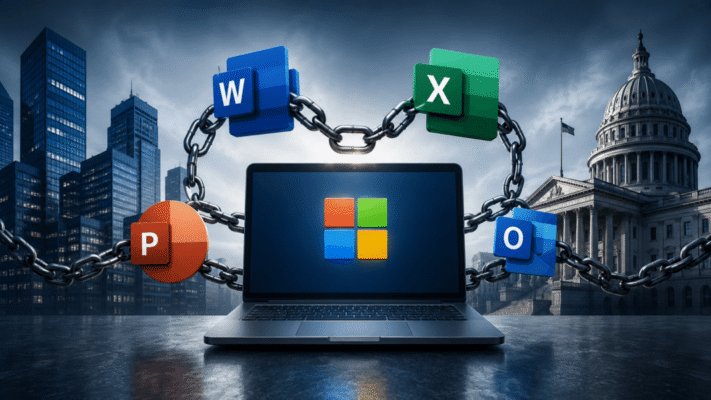
The Office Lock-In: Why Leaving Windows Is Harder Than It Looks
The operating system may be replaceable. The documents are not.
For years, people have asked a familiar question:
Why don't companies and governments just move away from Windows?
On the surface, it sounds simple.
Linux is mature.
Browsers are cross-platform.
Cloud applications are everywhere.
Many business systems already run on Linux servers.
So why do corporate desktops, public agencies, banks, universities, ministries, and large institutions still remain so heavily tied to Windows?
One of the biggest reasons is not Windows itself.
It is:
Microsoft OfficeMore specifically, it is the enormous ecosystem that has grown around:
Word
Excel
PowerPoint
Outlook
Office file formats
Macros
Templates
Add-ins
SharePoint
Teams
Microsoft 365
Microsoft Office has become something larger than an application suite.
For many organizations, it is effectively part of the infrastructure.
And infrastructure is much harder to replace than software.
The Obvious Question: Why Not Just Use LibreOffice?
This is usually where the discussion begins.
Someone says:
Just install Linux and LibreOffice.
For an individual user, that may work perfectly well.
You can write documents.
Create spreadsheets.
Build presentations.
Export PDFs.
Open many Microsoft Office files.
The problem begins when you have:
10,000 users
20 years of documents
Thousands of templates
Hundreds of macros
Government forms
Excel models
Vendor documents
Automated workflows
Now the question is no longer:
Can another office suite open a
.docxfile?
The real question becomes:
Can we guarantee that every business-critical document still behaves exactly as expected?
That is a much harder problem.
A Document Is Not Always Just a Document
Imagine a government department receives a Word file.
It appears to contain:
Text
Tables
Logo
Signature area
Simple enough.
But underneath it may contain:
- specific fonts,
- precise page breaks,
- embedded objects,
- custom styles,
- tracked changes,
- document fields,
- macros,
- references,
- form controls.
Open it in another office suite and the content may still be there.
But perhaps:
Page 7 becomes Page 8.The signature box moves.
A table wraps differently.
A government form no longer prints correctly.
For your personal shopping list, this is irrelevant.
For a legal contract, tender document, tax form, or court filing, it can matter enormously.
Compatibility Is Not Binary
People often talk about compatibility as:
Works
or
Doesn't work
Real compatibility is more complicated.
A document can be:
98% compatibleand still create a serious problem.
Imagine a 200-page financial report where only two formulas behave differently.
Or a contract where one paragraph moves onto another page.
Or a presentation where corporate fonts are substituted.
The file opened.
Technically:
It worked.Operationally:
It failed.That small gap is one of Microsoft's strongest defensive walls.
Then There Is Excel
If Word is sticky, Excel is something else entirely.
In many companies, Excel is not merely a spreadsheet application.
Excel is:
Database
Reporting system
Planning tool
Financial model
Mini application platform
Workflow engine
Calculator
Dashboard
Sometimes all at once.
There are companies with mission-critical spreadsheets containing:
50 worksheets
Thousands of formulas
Pivot tables
External connections
Power Query
VBA macros
Custom add-ins
Nobody planned for them to become critical infrastructure.
They simply evolved that way.
The Spreadsheet That Nobody Wants to Touch
Every large organization eventually seems to have one.
It may be called something innocent like:
Final_Budget_2026_v17_REAL_FINAL.xlsxBut inside it is the financial logic of an entire department.
Only three people understand it.
One of them retired.
Another is leaving next year.
And somewhere inside is a VBA macro written in 2011.
Now tell the organization:
We are replacing Excel.
Suddenly the operating-system migration project has become a business-process migration project.
That is much more expensive.
VBA Created an Entire Hidden Software Ecosystem
Microsoft Office includes Visual Basic for Applications.
VBA allowed ordinary office documents to become programmable.
A spreadsheet could:
Import data
Calculate reports
Generate invoices
Send email
Format documents
Connect to databases
Over decades, companies created enormous numbers of these internal tools.
Many were never documented as "software."
They were just:
that Excel file Finance usesBut operationally, they are software.
This creates what we might call:
Shadow applicationsAnd shadow applications create lock-in.
It Is Difficult to Replace Something You Don't Know Exists
A CIO might believe the company uses:
SAP
Salesforce
ERP
CRM
Microsoft 365
Then the migration assessment begins.
Suddenly IT discovers:
3,200 Excel files containing macros
500 Access databases
Custom Outlook add-ins
Word templates with automation
Departments using Power Query
Legacy ActiveX controls
Now "replace Office" becomes an archaeology project.
Nobody knows exactly how much business logic is buried inside twenty years of files.
Government Has an Even Bigger Problem
Governments generate enormous quantities of documents.
Think about:
Tax forms
Regulations
Tender documents
Budgets
Court documents
Procurement forms
Licensing paperwork
Official letters
Reports
Spreadsheets
Once agencies standardize on Microsoft Office formats, every organization that communicates with them begins using those formats too.
Then contractors do.
Then citizens do.
Then other departments do.
The standard reinforces itself.
Network Effects Are Powerful
Imagine a ministry publishes:
Tender_Form.docxEvery company bidding on the contract wants to ensure the document renders exactly as intended.
So they use Microsoft Word.
Those companies send Word documents back.
The ministry continues using Word because all suppliers use Word.
The loop becomes:
Government uses Office
        ↓
Suppliers use Office
        ↓
Government receives Office files
        ↓
Government keeps Office
This is a classic network effect.
Office becomes valuable partly because everyone else already uses it.
File Formats Were Supposed to Solve This
Modern Microsoft Office formats such as:
.docx
.xlsx
.pptx
are standardized XML-based formats.
That significantly improved interoperability compared with older proprietary binary formats such as:
.doc
.xls
.ppt
But a standardized file format does not automatically guarantee identical behavior between applications.
The format is only one piece.
Applications still need to reproduce:
Layout
Fonts
Formulas
Macros
Rendering
Features
Extensions
with sufficient accuracy.
For ordinary documents, alternatives often work very well.
For complex institutional workflows, "almost identical" can still be unacceptable.
Outlook Adds Another Layer
Then there is Outlook.
For many employees:
Email
Calendar
Meetings
Contacts
Tasks
are simply:
OutlookThe application is tightly connected to Exchange and Microsoft 365.
It also integrates with:
- Teams,
- corporate directories,
- calendars,
- conference-room scheduling,
- compliance systems,
- retention policies.
Replacing Word is one project.
Replacing the full workplace ecosystem surrounding Outlook is something much larger.
Then Office Became Microsoft 365
The lock-in became stronger when Office stopped being only a desktop application suite.
Today the ecosystem can include:
Word
Excel
PowerPoint
Outlook
Teams
OneDrive
SharePoint
Exchange
Entra ID
Power Platform
Now imagine removing Windows.
Technically, many of these services work in browsers or on other platforms.
But the organization may have built workflows around their integration.
For example:
Excel file
    ↓
SharePoint
    ↓
Power Automate
    ↓
Teams approval
    ↓
Outlook notification
At that point, Microsoft Office is no longer a collection of applications.
It is an organizational platform.
Active Directory Makes the Gravity Stronger
Now connect the Microsoft productivity ecosystem to identity.
A company might have:
Windows PCs
    ↓
Active Directory / Entra ID
    ↓
Microsoft 365
    ↓
Office
    ↓
SharePoint / Teams / OneDrive
Everything fits together.
One employee joins.
IT creates one account.
That account may provide access to:
PC login
Email
Office
Teams
Files
Company applications
VPN
This integration is genuinely useful.
That is important to acknowledge.
Vendor lock-in rarely succeeds because the product is terrible.
It succeeds because the integrated experience is convenient.
The Shackle Is Made of Convenience
This is the important part.
Microsoft did not need to force every organization to remain on Windows.
The ecosystem itself creates friction around leaving.
The chain looks like:
Office documents
      ↓
Office applications
      ↓
Microsoft 365
      ↓
Identity
      ↓
Windows desktops
Each individual connection seems reasonable.
Together, they become difficult to unwind.
That is why "shackle" is a useful metaphor.
You often do not notice it while everything works.
You notice it when you try to leave.
Linux Can Replace Windows More Easily Than It Can Replace Office
This sounds strange, but it is often true.
Suppose an employee mostly uses:
Chrome
Slack
Web ERP
Email
PDFs
Moving them from Windows to Linux may be relatively straightforward.
Now add:
Complex Excel models
Word templates
Outlook plugins
Office macros
and the migration becomes much harder.
The operating system itself may not be the real blocker.
The productivity ecosystem is.
Why Web Office Hasn't Completely Solved This
Browser versions of Office help enormously.
A Linux user can access Microsoft 365 through a browser.
That reduces dependence on Windows.
But browser versions do not always provide every capability of the desktop applications.
Complex:
Excel
VBA
Add-ins
Advanced formatting
Specialized workflows
can still require desktop Office.
So the web weakens the shackle.
It does not completely remove it.
Could Governments Mandate Open Formats?
Some governments have tried to move toward open document standards such as OpenDocument Format.
The idea is attractive:
Government documents
      ↓
Open standard
      ↓
Any compatible application
This reduces dependence on one vendor.
But changing the official format does not instantly change decades of existing workflows.
You still have:
Old documents
Staff training
Templates
Macros
Partner organizations
Legacy systems
Standards can reduce future lock-in.
They cannot erase historical lock-in overnight.
The Cost of Migration Is Often Larger Than the License Cost
People sometimes look at Microsoft licensing and say:
We could save millions by switching.
Maybe.
But organizations also calculate:
Training
Document conversion
Workflow rewriting
Support
Compatibility testing
Migration
Lost productivity
Risk
If avoiding Office saves:
$2 millionbut migration costs:
$8 millionthe economic decision becomes obvious.
Even if the alternative is cheaper over the very long term, management may not want the immediate disruption.
There Is Also the "Nobody Gets Fired for Microsoft" Effect
Large organizations are naturally risk-averse.
Imagine two decisions.
Decision A
Use Microsoft Office.
Something goes wrong.
Management says:
We use the same software as everyone else.
Decision B
Replace Office with something unusual.
Something goes wrong.
Management asks:
Who approved this migration?
That difference matters.
Safe, conventional technology choices survive partly because they distribute responsibility.
Microsoft Understands Enterprise Inertia Extremely Well
Microsoft has spent decades building:
Backward compatibility
Enterprise support
Migration tools
Management tools
Documentation
Certifications
Partner ecosystems
This makes staying relatively easy.
And leaving comparatively expensive.
That is excellent business strategy.
Is This Bad?
Not necessarily.
This is where the argument needs nuance.
Microsoft Office became dominant because it is genuinely useful.
Excel is extraordinarily capable.
Word handles complex professional documents.
PowerPoint is universally understood.
Outlook integrates deeply into corporate workflows.
Microsoft 365 provides enormous administrative capabilities.
Organizations did not adopt these tools purely because they were trapped.
They adopted them because they solved real problems.
The lock-in came afterward.
Every Platform Creates Some Lock-In
Apple has:
iCloud
iMessage
AirDrop
Apple Photos
Apple hardware
Google has:
Gmail
Drive
Docs
Android
Google Workspace
AWS has:
Proprietary cloud services
APIs
Databases
Serverless platforms
Once you build deeply around any ecosystem, leaving becomes harder.
Microsoft's difference is simply scale and history.
Many institutions have been accumulating Microsoft dependencies for thirty years.
Why This Matters for Governments
For a private company, vendor lock-in is mostly a business decision.
For governments, there is another consideration:
Digital sovereigntyA government may need to ask:
Should our public administration depend this heavily on one foreign technology supplier?
That can involve questions about:
- long-term document access,
- pricing,
- data jurisdiction,
- interoperability,
- security,
- procurement independence.
Those questions become more important as governments digitize more of their operations.
The Better Strategy May Be Gradual Decoupling
Trying to replace Microsoft Office everywhere overnight is usually unrealistic.
A more practical strategy is to reduce unnecessary dependency.
For example:
Use open document standards where practical.

Avoid VBA for new systems.

Move business logic into proper applications.

Use web standards.

Keep data accessible through APIs.

Use PDF for fixed official documents.

Test alternative office suites for simple workloads.
The goal does not have to be:
Microsoft = forbiddenIt can be:
Microsoft = replaceableThat is a healthier architectural position.
Excel Should Not Be Your ERP
One of the most useful things organizations can do is identify where Office files have quietly become business systems.
If a spreadsheet is responsible for:
Payroll
Inventory
Financial approval
Production planning
Compliance reporting
it may be time to move that logic into a proper system.
Not because Excel is bad.
Because:
Critical software hidden inside a spreadsheetcreates technical debt regardless of operating system.
Documents Should Outlive Applications
A government document may need to remain readable for:
10 years
50 years
100 years
The application used to create it may disappear long before then.
That is why long-term document preservation favors:
Open standards
Stable formats
PDF/A
Structured data
rather than dependence on a specific application version.
This is not an anti-Microsoft argument.
It is good information architecture.
Why Windows Still Benefits
And this brings us back to Windows.
As long as organizations believe:
We absolutely need desktop Microsoft Officethe easiest desktop choice remains:
WindowsThat reinforces Windows.
Windows reinforces Office.
Office reinforces Microsoft 365.
Microsoft 365 reinforces Microsoft's identity ecosystem.
The loop continues.
The Invisible Shackle
That is why Microsoft Office is such an interesting form of lock-in.
You cannot see it in the Windows kernel.
There is no technical rule saying:
Office requires your entire company to use Windows.Instead, the dependency is distributed across:
Files
People
Habits
Macros
Templates
Workflows
Training
Partners
History
No single chain is particularly strong.
Thousands of small chains together are extremely difficult to break.
Final Thoughts
Windows' position in the corporate and government world is not protected by Windows alone.
One of its strongest defenses is the enormous ecosystem surrounding Microsoft Office.
The relationship looks something like this:
Documents
    ↓
Office
    ↓
Microsoft 365
    ↓
Identity + Collaboration
    ↓
Windows
And each year an organization stays inside that system, more institutional knowledge becomes attached to it.
That is why migrations are so difficult.
The real lock-in is not:
Microsoft owns the operating system.It is:
The organization has spent decades
building its way of working around Microsoft.
That is much harder to replace.
The most dangerous lock-in is rarely the technology you are forced to use.
It is the technology that becomes so convenient, so familiar, and so deeply embedded that eventually you forget there was ever supposed to be a choice.