







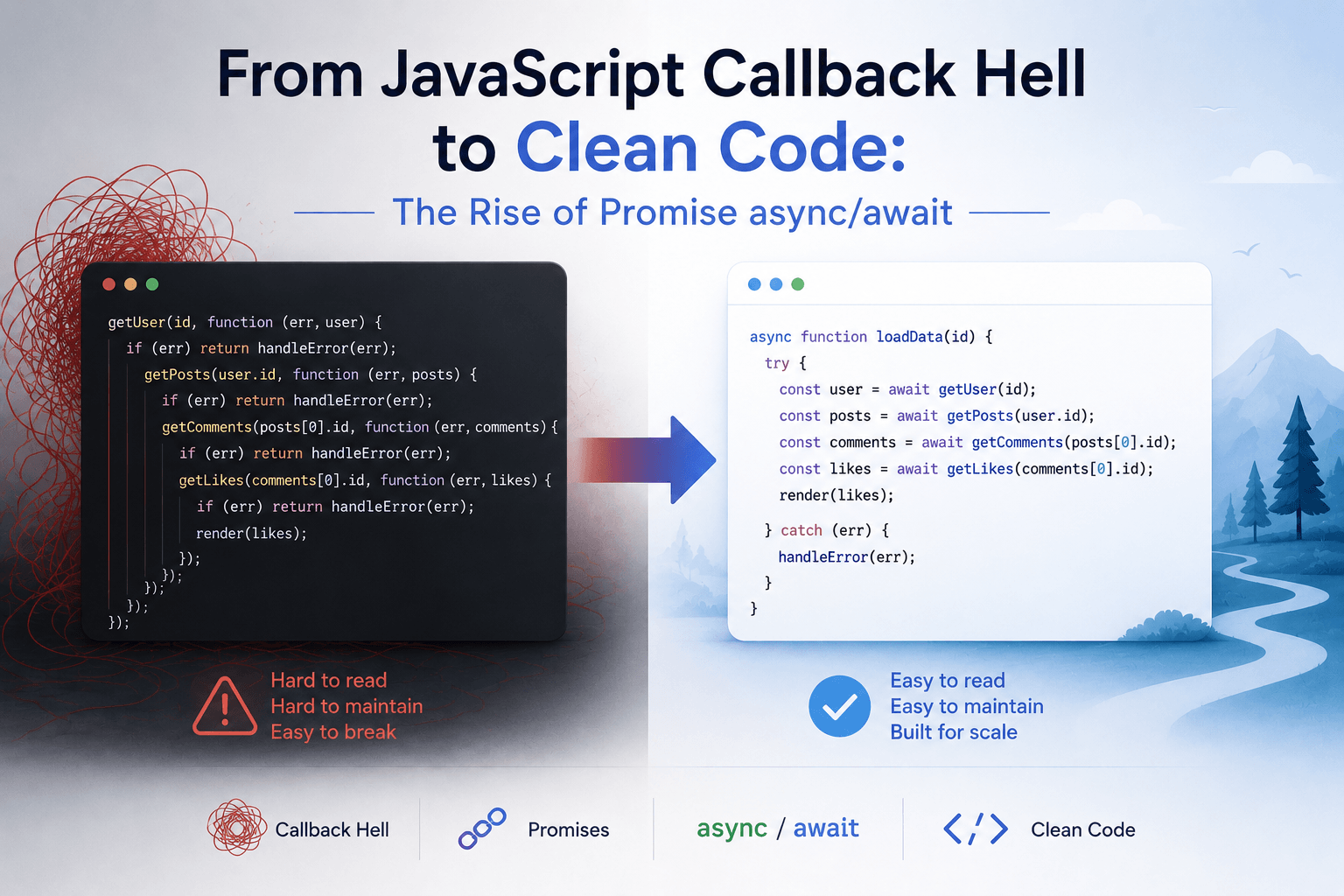
From JavaScript Callback Hell to Clean Code: The Rise of Promise async/await
Imagine opening a modern web application.
The page loads.
It fetches your profile.
Then it loads notifications.
Then messages.
Then recommendations.
Then it uploads a file while keeping the interface responsive.
Somewhere in the background, JavaScript is constantly starting work that does not finish immediately.
That is the nature of modern applications.
The browser talks to APIs.
It reads files.
It waits for timers.
It asks databases for data through backend services.
It communicates with remote servers that might take 20 milliseconds—or 20 seconds—to respond.
And JavaScript has a problem.
It cannot simply stop everything and wait.
That problem gave us one of the most important evolutions in modern JavaScript:
callbacks → Promises → async/await.
JavaScript Has One Main Thread
JavaScript in the browser primarily executes application code on a single main thread.
Think of it as one worker sitting behind a desk.
Commands arrive:
Run function A
Run function B
Update the page
Handle mouse click
Run function C
The worker handles them one at a time.
This works well until someone gives the worker a job like:
"Download a 500 MB file and don't do anything else until it finishes."
That would be disastrous.
The browser would freeze.
Buttons would stop responding.
Animations would stop.
The page might appear completely dead.
So JavaScript needed a way to start slow operations without blocking the main thread.
That is where asynchronous programming enters the story.
The Waiting Problem
Suppose we request data from a server:
const user = fetchUser();The server might be thousands of kilometers away.
The request travels through routers, networks, load balancers, application servers, and databases.
JavaScript cannot know exactly when the answer will return.
Maybe 50 milliseconds.
Maybe 2 seconds.
Maybe never.
So instead of waiting, JavaScript essentially says:
"Start the operation. Tell me when you're done."
This is asynchronous execution.
The application can continue doing other things while the operation is waiting.
That sounds simple.
But the first popular solution became messy very quickly.
The Age of Callbacks
Before Promises became common, JavaScript relied heavily on callbacks.
A callback is simply a function that should run later.
For example:
getUser(function (user) {
    console.log(user);
});
The idea is straightforward.
Start getUser().
When it finishes, call the function.
Now imagine a real application.
First load the user.
Then load their orders.
Then load the details of one order.
Then process payment information.
You might end up with something like:
getUser(function (user) {
    getOrders(user.id, function (orders) {
        getOrderDetails(orders[0].id, function (details) {
            getPayment(details.paymentId, function (payment) {
                console.log(payment);
            });
        });
    });
});
It works.
But the code starts moving sideways.
Developers gave this shape a famous name:
Callback Hell.
Visually:
function(...)
    function(...)
        function(...)
            function(...)
                function(...)
The deeper the application became, the harder it was to understand.
Error handling became especially painful.
Enter the Promise
JavaScript needed a better abstraction.
That abstraction became the Promise.
A Promise represents a value that may become available in the future.
Think of ordering food at a restaurant.
You place the order.
The waiter does not force you to stand beside the kitchen until your meal is ready.
Instead, there is an implicit promise:
"Your food is being prepared. I will bring it when it is ready."
The result does not exist yet.
But you have something representing the future result.
In JavaScript:
const promise = fetch("/api/users");fetch() immediately gives you a Promise.
The network request may still be running.
The Promise can eventually become one of three states:
Pending
   ↓
Fulfilled
or:
Pending
   ↓
Rejected
Pending means:
Still working.
Fulfilled means:
Success.
Rejected means:
Something failed.
This simple model transformed asynchronous JavaScript.
.then(): What Happens Next?
Suppose we write:
fetch("/api/users")
    .then(response => response.json())
    .then(users => {
        console.log(users);
    });
Read it like a story.
Fetch the users.
Then convert the response to JSON.
Then use the users.
Promises allow asynchronous operations to form chains instead of deeply nested callbacks.
Instead of:
do this
    then inside callback
        do this
            then inside another callback
we get:
do this
↓
then this
↓
then this
Much easier to follow.
Errors Become Cleaner
Callbacks often forced developers to manually pass errors everywhere.
Promises standardized failure handling.
For example:
fetch("/api/users")
    .then(response => response.json())
    .then(users => processUsers(users))
    .catch(error => {
        console.error(error);
    });
If something fails anywhere in the Promise chain, the error can flow toward .catch().
That alone made asynchronous code much easier to manage.
But JavaScript still had another problem.
Promise chains were cleaner than callbacks, yet long asynchronous workflows could still become difficult to read.
Developers wanted asynchronous code that looked like normal sequential code.
That led to async/await.
async/await Changes Everything
Consider this Promise-based code:
function loadUser() {
    return fetch("/api/user")
        .then(response => response.json())
        .then(user => {
            return fetch(`/api/orders/${user.id}`);
        })
        .then(response => response.json());
}
Now compare it with:
async function loadUser() {
    const response = await fetch("/api/user");
    const user = await response.json();

    const ordersResponse =
        await fetch(`/api/orders/${user.id}`);

    const orders = await ordersResponse.json();

    return orders;
}
Suddenly asynchronous code reads almost like synchronous code.
Do this.
Wait for the result.
Then do this.
Then return the answer.
This was a major improvement in readability.
What Does async Actually Mean?
When you write:
async function getUser() {
    return 10;
}
the function does not directly return 10.
It returns a Promise that resolves to 10.
Conceptually:
Promise.resolve(10)So:
const result = getUser();result is a Promise.
To get the final value:
const result = await getUser();The async keyword tells JavaScript:
"This function works with asynchronous values and returns a Promise."
What Does await Actually Do?
Many beginners imagine that await means:
Freeze JavaScript until this operation finishes.
That is not quite right.
Consider:
const user = await fetchUser();The current async function pauses at that point.
But JavaScript's main execution environment can continue handling other work.
The browser can still:
- respond to clicks
- render frames
- process other callbacks
- execute ready tasks
- handle other completed asynchronous operations
When the Promise resolves, JavaScript schedules the continuation of the function.
So await gives us code that looks like waiting without blocking the entire application.
That is the magic.
The Restaurant With One Waiter
Imagine a restaurant with one waiter.
A customer orders steak.
The waiter gives the order to the kitchen.
Should the waiter stand beside the oven for 20 minutes?
Of course not.
The waiter serves another table.
Takes another order.
Brings someone a drink.
When the kitchen says:
"Steak ready!"
the waiter returns.
That is surprisingly close to asynchronous JavaScript.
The JavaScript thread is the waiter.
The browser or runtime handles many external operations.
The waiter does not perform the waiting.
It simply continues when the result becomes ready.
The Event Loop Behind the Scenes
This behavior is coordinated by the event loop.
A simplified mental model looks like this:
JavaScript Call Stack
        ↓
Start async operation
        ↓
Browser / Runtime handles waiting
        ↓
Operation completes
        ↓
Callback / Promise continuation queued
        ↓
Event Loop
        ↓
JavaScript executes continuation
The event loop keeps checking:
"Is JavaScript currently free?"
If yes, ready work can be executed.
This design allows JavaScript to handle enormous numbers of I/O operations without creating one dedicated JavaScript execution thread for every request.
That is especially important in environments such as Node.js.
Sequential await Can Be a Trap
async/await makes code beautiful.
But beautiful code can still be slow.
Suppose we write:
const users = await fetchUsers();
const products = await fetchProducts();
const orders = await fetchOrders();
Imagine each request takes one second.
Because each await waits before starting the next request, total time may be around three seconds.
But these operations are independent.
There is no reason to wait for users before requesting products.
Instead:
const usersPromise = fetchUsers();
const productsPromise = fetchProducts();
const ordersPromise = fetchOrders();

const [users, products, orders] =
    await Promise.all([
        usersPromise,
        productsPromise,
        ordersPromise
    ]);
Now all three operations start together.
Total time may be closer to one second.
This is one of the most important lessons in modern async JavaScript:
awaitdoes not automatically mean efficient concurrency.
You still need to understand which operations depend on each other.
Promise.all(): Everyone Works Together
Suppose you need to load four dashboard widgets.
const result = await Promise.all([
    loadSales(),
    loadInventory(),
    loadCustomers(),
    loadInvoices()
]);
All four operations can progress concurrently.
But Promise.all() has an important behavior.
If one Promise rejects, the returned Promise rejects.
That makes sense when every operation is required.
Sometimes, however, you want all results even if some fail.
For that, JavaScript provides:
Promise.allSettled()For example:
const results = await Promise.allSettled([
    loadSales(),
    loadInventory(),
    loadCustomers()
]);
Now you can inspect each result individually.
Some may be fulfilled.
Others may be rejected.
Racing Promises
Sometimes you only care about whichever result arrives first.
JavaScript also provides:
Promise.race()Example:
const result = await Promise.race([
    fetchData(),
    timeout()
]);
This pattern can help implement timeouts and competing asynchronous operations.
There is also:
Promise.any()which resolves when the first Promise fulfills, ignoring rejected Promises unless they all reject.
These APIs turn Promises into tools for coordinating asynchronous work, not merely waiting for HTTP calls.
Error Handling Feels Normal Again
One of the nicest parts of async/await is that standard try/catch works naturally.
async function loadData() {
    try {
        const response = await fetch("/api/data");
        const data = await response.json();

        return data;
    }
    catch (error) {
        console.error("Failed to load data", error);
    }
}
Compare that with deeply nested callback error handling.
The difference is enormous.
Asynchronous programming starts looking like ordinary programming again.
But fetch() Has a Famous Surprise
One important detail catches many developers.
A fetch() Promise does not reject simply because the server returns an HTTP error such as 404 or 500.
You should still inspect the response.
For example:
const response = await fetch("/api/users");

if (!response.ok) {
    throw new Error(
        `Request failed: ${response.status}`
    );
}

const users = await response.json();
The Promise typically rejects for failures such as network errors, not merely for every non-success HTTP status.
Understanding details like this is important because async/await improves syntax—it does not remove the need to understand the APIs underneath it.
Async Does Not Mean Parallel CPU Execution
Another common misunderstanding is:
"If I use
async, JavaScript runs everything in parallel."
No.
Consider:
async function calculate() {
    for (let i = 0; i < 5_000_000_000; i++) {
        // heavy calculation
    }
}
Adding async does not magically move this CPU-heavy loop somewhere else.
It can still block the main JavaScript thread.
async/await is especially powerful for I/O-bound work:
- HTTP requests
- database operations
- file operations
- timers
- network communication
For heavy CPU work in browsers, technologies such as Web Workers may be appropriate.
In Node.js, worker threads or separate processes may be used for suitable CPU-intensive workloads.
Asynchrony and parallelism are related ideas, but they are not the same thing.
Promises Changed API Design
Before Promises, many JavaScript APIs looked like:
loadData((error, data) => {
    // ...
});
Modern APIs increasingly look like:
const data = await loadData();That change seems small.
But it fundamentally improves composability.
A Promise can be:
- returned
- stored
- awaited
- combined
- raced
- transformed
- passed into another function
Promises turned "something that will happen later" into a first-class object in JavaScript.
That is powerful.
A Modern Backend Without Async Would Be Painful
Imagine a Node.js server handling 10,000 connected clients.
Many requests spend most of their lifetime waiting:
Request
↓
Database
↓
Wait
↓
Redis
↓
Wait
↓
External API
↓
Wait
↓
Response
If the server needed one blocked JavaScript execution thread for every waiting operation, scalability would become extremely difficult.
Instead, asynchronous I/O allows the runtime to keep progressing other work while external systems are busy.
Modern web applications depend heavily on this pattern.
From Callback Hell to Readable Code
JavaScript's asynchronous evolution can be summarized almost like a story of growing maturity.
First came callbacks:
"Call me when you're finished."They worked, but became difficult to compose.
Then Promises arrived:
"Give me an object representing the future result."Now asynchronous operations could be chained and coordinated.
Then async/await arrived:
"Let me write asynchronous workflows almost like normal sequential code."Each generation did not completely replace the previous one.
async/await itself is built on Promises.
Promises ultimately integrate with callbacks and the event loop underneath.
The layers look roughly like:
async / await
      ↓
   Promises
      ↓
Event loop + queues
      ↓
Browser / runtime async APIs
The syntax became simpler.
The machinery underneath remained sophisticated.
The Real Power Is Not await
The most important lesson is not learning where to type await.
It is learning to recognize dependency.
Ask:
Does operation B require the result of operation A?
If yes:
const a = await getA();
const b = await getB(a);
Sequential execution makes sense.
But if they are independent:
const [a, b] = await Promise.all([
    getA(),
    getB()
]);
Run them concurrently.
Great asynchronous code is not code containing the most async keywords.
It is code that understands what must wait and what does not.
Modern Problems Require Modern Solutions
The internet changed software.
Applications stopped being isolated programs performing calculations locally.
They became distributed systems.
A single button click might involve:
Browser
↓
CDN
↓
API Gateway
↓
Application Server
↓
Database
↓
Cache
↓
Another Service
↓
Cloud Storage
Every network boundary introduces waiting.
And computers are terrible investments if we pay for them simply to sit there waiting.
JavaScript's Promise model gives us a better idea:
Start the work.
Continue doing useful things.
Come back when the result is ready.
async/await simply made that idea readable.
That is why it became such an important part of modern JavaScript.
Not because asynchronous programming is fashionable.
But because modern applications spend enormous amounts of their lives waiting on other machines.
And in a connected world, the best worker is not the one who waits fastest.
It is the one who knows when not to wait at all.