







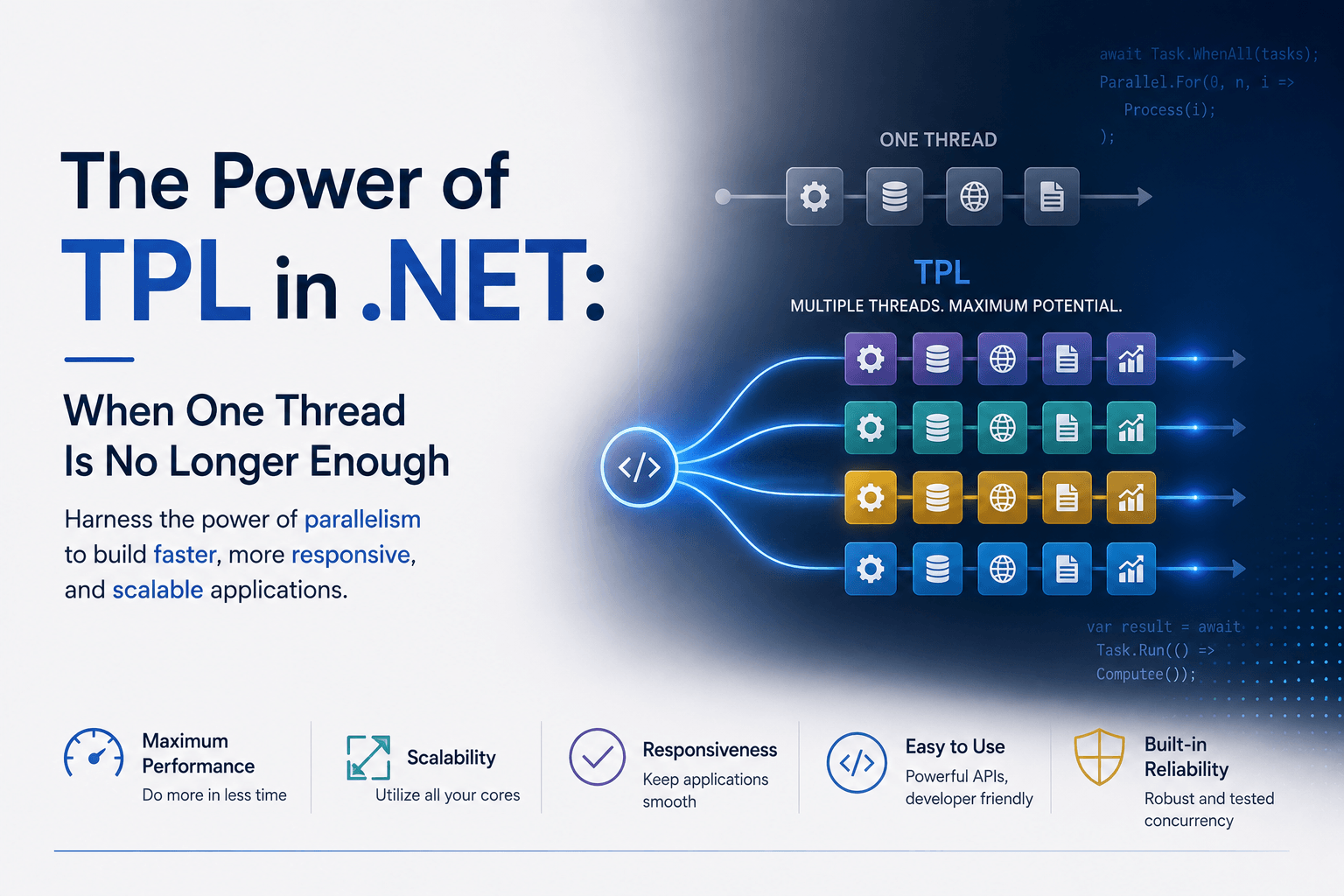
The Power of TPL in .NET: When One Thread Is No Longer Enough
Imagine you are building a .NET application that needs to process 10,000 files.
The first version is simple.
foreach (var file in files)
{
    Process(file);
}
It works.
One file is processed.
Then the next.
Then the next.
Your CPU has 8, 16, or perhaps 32 logical cores.
But your program is using only one of them for most of the work.
The others sit mostly idle.
You look at Task Manager and realize something:
The computer has a small army of processors, but your code is sending only one soldier into battle.
This is the problem the Task Parallel Library, or TPL, was created to solve.
Before TPL, Threads Were Painful
Parallel programming is not new.
Long before TPL, .NET developers could create threads directly.
You could write something like:
var thread = new Thread(() =>
{
    DoWork();
});

thread.Start();
This gave you control.
But it also gave you responsibility.
You had to think about:
- creating threads
- destroying threads
- synchronization
- locking
- exceptions
- cancellation
- scheduling
- thread counts
- shared state
Creating too many threads could actually make an application slower.
Threads consume memory.
The operating system must switch between them.
That switching has a cost.
So the real problem was never:
"How do I create more threads?"
The real problem was:
"How do I divide work efficiently across the processors available to me?"
That is a much harder question.
TPL changed the abstraction.
Instead of telling .NET:
"Create this thread."
You could say:
"Here is some work. Figure out how to execute it efficiently."
Enter Task
At the center of TPL is one of the most important types in modern .NET:
TaskA Task represents work that may complete in the future.
For example:
Task task = Task.Run(() =>
{
    ProcessLargeFile();
});
You are no longer manually creating a thread.
You are describing a unit of work.
The runtime decides how that work should be scheduled.
This may seem like a small difference.
It is actually enormous.
It separates:
what needs to be done
from:
which thread should do it
That separation made parallel programming far more manageable.
The Thread Pool Behind the Curtain
TPL commonly runs work using the .NET ThreadPool.
Think of the ThreadPool as a group of reusable workers.
Instead of creating a new worker every time a task appears:
Create thread
↓
Run job
↓
Destroy thread
↓
Create another thread
↓
Run another job
.NET keeps a pool of workers available.
Tasks are placed into queues.
Workers take tasks when they are ready.
Conceptually:
Tasks
  ↓
[Work Queue]
  ↓
ThreadPool
  ↓
CPU cores
This dramatically reduces the overhead of constantly creating and destroying operating-system threads.
But TPL goes further.
The runtime can dynamically adjust how many workers are active.
It attempts to keep processors productive without creating unnecessary scheduling overhead.
You give it the work.
TPL handles much of the machinery.
Parallel.For: The Moment Parallelism Becomes Easy
Suppose we need to resize 10,000 images.
The sequential version might be:
for (var i = 0; i < images.Count; i++)
{
    Resize(images[i]);
}
If each image can be processed independently, this is an ideal parallel workload.
TPL gives us:
Parallel.For(0, images.Count, i =>
{
    Resize(images[i]);
});
One line changes the nature of the program.
Instead of processing:
Image 1
↓
Image 2
↓
Image 3
↓
Image 4
the runtime can process multiple images simultaneously:
Core 1 → Image 1
Core 2 → Image 2
Core 3 → Image 3
Core 4 → Image 4
When one finishes, another piece of work takes its place.
This is the essence of data parallelism.
The same operation is performed over different pieces of data simultaneously.
Parallel.ForEach
More commonly, you already have a collection.
Then:
Parallel.ForEach(files, file =>
{
    Process(file);
});
This reads almost like normal code.
But underneath, TPL partitions the workload and distributes it among workers.
That is one of TPL's greatest strengths.
It made parallel computing accessible without forcing every developer to become an expert in operating-system thread scheduling.
But TPL Is Not Just Parallel.ForEach
When developers first encounter TPL, they sometimes think:
"TPL means running loops on multiple cores."
That is only part of the story.
TPL includes the infrastructure behind:
TaskTask<TResult>Task.Run- continuations
- task scheduling
- cancellation
- parallel loops
- parallel invocation
- coordination between concurrent operations
And modern async/await is deeply connected to the Task abstraction.
This means TPL became foundational to modern .NET programming.
Parallelism and Asynchrony Are Not the Same Thing
This distinction is extremely important.
Suppose your application calls a database.
var users = await db.Users.ToListAsync();While the database is working, your CPU does not need to sit there actively calculating.
The operation is mostly waiting for I/O.
This is asynchronous programming.
Now suppose you need to calculate hashes for one million files.
Parallel.ForEach(files, file =>
{
    CalculateHash(file);
});
This is primarily parallel programming.
The CPU is actually doing work across multiple cores.
A useful mental model is:
async/await
→ Don't waste a thread while waiting.

Parallel/TPL
→ Use multiple processors while computing.
They solve different problems.
And confusing them can easily hurt performance.
Why Task.Run Is Sometimes Misused
Consider this:
await Task.Run(() =>
{
    return database.LoadUsers();
});
If LoadUsers() already has a proper asynchronous API, wrapping it in Task.Run is usually unnecessary in server-side code.
Instead:
await database.LoadUsersAsync();The first version occupies a ThreadPool worker while waiting.
The second lets the underlying asynchronous I/O mechanism do its job.
Task.Run is most useful when you intentionally want to move CPU-bound work onto the ThreadPool.
For example:
var result = await Task.Run(() =>
{
    return PerformHeavyCalculation();
});
Understanding this difference is one of the keys to writing scalable .NET applications.
The CPU-Bound Problem
Imagine your ASP.NET Core API receives a request that performs a computationally expensive operation.
Perhaps:
- image processing
- PDF generation
- compression
- encryption
- scientific calculation
- video transcoding
- large in-memory transformations
One operation consumes an entire core.
Now 100 users perform it simultaneously.
If you indiscriminately create more and more tasks, eventually every CPU core becomes saturated.
More parallelism no longer makes things faster.
It can make everything slower.
This teaches an important rule:
Parallelism is not infinite performance.
The machine still has finite resources.
If your server has 8 cores, creating 8,000 CPU-heavy tasks does not magically create 8,000 cores.
TPL helps schedule the work, but it cannot break physics.
MaxDegreeOfParallelism
Sometimes you need to limit how much work happens simultaneously.
TPL supports this.
var options = new ParallelOptions
{
    MaxDegreeOfParallelism = 4
};

Parallel.ForEach(items, options, item =>
{
    Process(item);
});
Now at most four iterations execute concurrently.
Why would you deliberately limit parallelism?
Because the CPU may not be the only bottleneck.
Perhaps each operation also talks to:
- a database
- an external API
- disk storage
- Redis
- S3
- another microservice
Running 500 operations simultaneously might overwhelm the dependency.
Good parallel software does not simply ask:
"How much can I parallelize?"
It asks:
"How much parallelism can the entire system safely sustain?"
PLINQ: Parallel LINQ
TPL also influenced another fascinating technology:
PLINQ — Parallel LINQ.
Suppose you have:
var result = numbers
    .Where(x => IsPrime(x))
    .Select(x => ExpensiveCalculation(x))
    .ToList();
If the operations are CPU-intensive and independent, PLINQ lets you write:
var result = numbers
    .AsParallel()
    .Where(x => IsPrime(x))
    .Select(x => ExpensiveCalculation(x))
    .ToList();
That one call:
.AsParallel()allows LINQ to execute parts of the query concurrently.
Again, the philosophy is the same.
Describe the computation.
Let the runtime decide how to distribute it.
Work Stealing: A Clever Trick
Suppose your CPU has four workers.
TPL distributes work:
Worker 1 → 10 tasks
Worker 2 → 10 tasks
Worker 3 → 10 tasks
Worker 4 → 10 tasks
But maybe Worker 1 gets easy tasks and finishes quickly.
Worker 4 gets expensive tasks and still has six remaining.
Should Worker 1 sit idle?
No.
TPL's scheduling infrastructure can use a technique called work stealing.
An idle worker can take work from another worker's queue.
Conceptually:
Worker 1: finished
      ↓
steals task
      ↓
Worker 4's queue
This helps balance uneven workloads automatically.
It is one of those sophisticated details that most developers never need to implement themselves.
And that is exactly the point.
TPL hides difficult scheduling problems behind relatively simple APIs.
Tasks Can Depend on Other Tasks
Real applications are rarely just loops.
Sometimes the workflow looks like:
Download
   ↓
Decode
   ↓
Process
   ↓
Compress
   ↓
Upload
Tasks give us a way to represent these operations as composable units of asynchronous or concurrent work.
With async and await, that composition becomes natural:
var data = await DownloadAsync();

var processed = await ProcessAsync(data);

await UploadAsync(processed);
For independent operations:
var customerTask = LoadCustomerAsync();
var ordersTask = LoadOrdersAsync();
var invoicesTask = LoadInvoicesAsync();

await Task.WhenAll(
    customerTask,
    ordersTask,
    invoicesTask);
Now all three operations can progress concurrently instead of unnecessarily waiting for each other.
This pattern is extremely powerful in backend systems.
Task.WhenAll: Concurrency Without Chaos
Suppose an ERP dashboard needs:
- sales totals
- purchase totals
- production totals
- inventory totals
A naive implementation might do:
var sales = await GetSalesAsync();
var purchases = await GetPurchasesAsync();
var production = await GetProductionAsync();
var inventory = await GetInventoryAsync();
If each takes one second, total time may approach four seconds.
But if they are independent:
var salesTask = GetSalesAsync();
var purchasesTask = GetPurchasesAsync();
var productionTask = GetProductionAsync();
var inventoryTask = GetInventoryAsync();

await Task.WhenAll(
    salesTask,
    purchasesTask,
    productionTask,
    inventoryTask);
Now they can progress together.
The total might be closer to the slowest individual operation rather than the sum of all four.
That is not CPU parallelism in the same sense as Parallel.ForEach.
It is concurrency.
But the Task abstraction makes both styles of programming feel related.
Cancellation: Being Able to Stop Matters
Long-running operations need an escape hatch.
TPL integrates naturally with CancellationToken.
await Task.Run(() =>
{
    HeavyCalculation(cancellationToken);
}, cancellationToken);
Or:
var options = new ParallelOptions
{
    CancellationToken = cancellationToken
};

Parallel.ForEach(items, options, item =>
{
    options.CancellationToken.ThrowIfCancellationRequested();

    Process(item);
});
Cancellation is not about violently killing a thread.
Instead, .NET uses cooperative cancellation.
One part of the program says:
"Please stop."
The running operation periodically checks and exits cleanly.
This makes systems easier to shut down, recover, and scale.
The Dangerous Side: Shared State
Parallelism becomes dangerous when multiple workers modify the same data.
Consider:
var total = 0;

Parallel.ForEach(numbers, number =>
{
    total += number;
});
It looks reasonable.
It is not safe.
Two threads could read and update total simultaneously.
One update may overwrite another.
This is called a race condition.
Parallel programming forces us to think differently about state.
Safer approaches include:
- avoiding shared mutable state
- using local accumulators
- using
Interlocked - using thread-safe collections
- using locks when necessary
- partitioning data
The fastest lock is often the lock you never needed because the architecture avoided shared state altogether.
ConcurrentDictionary and Friends
.NET provides collections built specifically for concurrent access.
For example:
var cache = new ConcurrentDictionary<string, Result>();Other concurrent collections include:
ConcurrentDictionary
ConcurrentQueue
ConcurrentStack
ConcurrentBag
BlockingCollection
These structures help developers safely coordinate work between multiple threads.
They do not eliminate the complexity of concurrency.
But they remove many common synchronization problems.
The Hidden Power of Modern .NET
Today, many .NET developers use TPL every day without thinking about it.
When you write:
await SomeOperationAsync();you are working with Task.
When you write:
await Task.WhenAll(tasks);you are coordinating concurrent operations.
When you write:
Task.Run(...)you are handing work to the task scheduler.
When you use:
Parallel.ForEach(...)you are asking .NET to exploit CPU parallelism.
TPL became so successful that it almost disappeared into the language.
That is often the sign of a great abstraction.
The difficult machinery is still there.
You simply don't have to think about it every time.
The Real Power of TPL
The power of TPL is not that it creates threads.
We could create threads long before TPL existed.
Its real power is that it gives developers a better language for expressing work.
Instead of thinking:
Thread 1 does this.
Thread 2 does that.
Thread 3 waits here.
we can think:
These operations are independent.

These operations can run concurrently.

This operation depends on those.

This work can be cancelled.

This computation can be partitioned.
The runtime handles much of the scheduling complexity.
That is a profound change.
One Core Became Many
For decades, software became faster partly because processors themselves became faster.
Then CPU clock speeds stopped increasing as dramatically.
Hardware manufacturers responded by adding more cores.
Suddenly, software had a new challenge.
A program written entirely as sequential work could not automatically take advantage of all those processors.
The hardware had become parallel.
Software had to follow.
TPL became one of .NET's answers.
It gave ordinary developers access to sophisticated concepts such as task scheduling, work stealing, thread pooling, parallel loops, cancellation, and asynchronous composition through APIs that remain surprisingly approachable.
And that may be TPL's greatest achievement.
It turned parallel programming from something reserved for systems programmers into something ordinary .NET developers can use every day.
The lesson is simple:
A modern CPU does not give us one powerful worker.
It gives us many.
TPL is the machinery that helps .NET put them to work.